Finance + POS + business control

Advanced multi-currency finance and management software for modern businesses

DMI Software helps retail, wholesale and trading companies manage invoices, suppliers, POS, banking, expenses, statements, multiple stores and multiple users from one powerful website-ready business system.

English Version One-time pricing WhatsApp demo support
30+ business modules
3+ core business layers
100% responsive UI
Dashboard illustration showing DMI Software finance, sales and reporting modules
Retail stores and chains Wholesale distributors Trading companies Import and export businesses Service companies Multi-branch operations
Why businesses choose DMI

Built for faster finance, cleaner operations and better control

From daily sales and invoices to supplier bills, cheque handling and branch-level reporting, DMI Software gives businesses one complete workflow.

πŸ’±

Multiple currencies

Create invoices, bills, receipts and reports for businesses serving customers and suppliers across different currencies.

πŸ§‘β€πŸ’Ό

Multiple management levels

Give owners, finance teams, branch managers, sales staff and cashiers the right access with role-based controls.

🏬

Multiple stores

Track stock, sales, expenses and payments across branches, outlets, warehouses and retail locations from one platform.

πŸ‘₯

Multiple users

Support teams that need secure logins, activity separation and faster collaboration between departments.

πŸ›’

POS and retail flow

Run the front counter, process sales receipts and manage customers and items with speed and clarity.

🏦

Banking and reconciliation

Manage bank deposits, recurring transactions, cheque handling and reconciliation without leaving the system.

πŸ“¦

Purchasing and suppliers

Organize suppliers, purchase orders, item receipts, bills and supplier credits in one smooth workflow.

πŸ“Š

Reports and statements

Get clear statements, performance reports and decision-ready business visibility for finance and operations.

All major workflows in one place

From invoice creation to reconciliation, every key task stays connected

Instead of using disconnected tools, businesses can manage customers, suppliers, inventory, POS, statements, banking and reports inside one organized system.
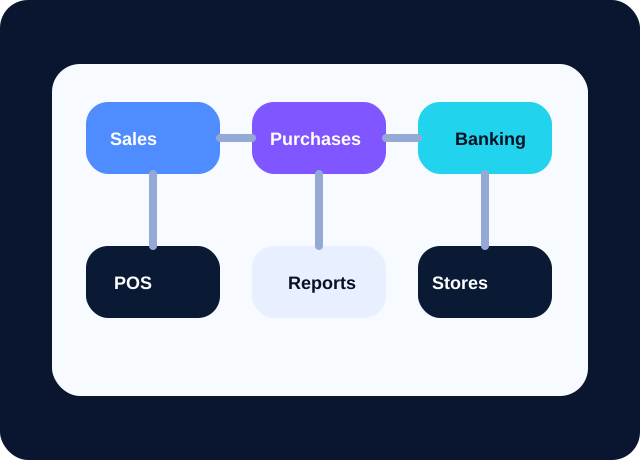
  • Sales order, estimate, invoice and receive payment flow
  • Purchase order, item receipt, bill and supplier credit flow
  • Expenses, bank deposit, credit card credit and recurring transactions
  • Reports, settings and reconciliation for stronger financial visibility
Workflow illustration for sales, purchase, banking and reports
Why DMI stands out

More than billing software β€” built for stores, teams and financial control

Multi-store visibility Multiple currencies POS + finance in one flow Settings and audit readiness
Promotion-ready module content

Show buyers the full software story with clear feature sections and images

The website now highlights your major software modules with promotional copy so potential customers can understand what DMI Software does before they request a demo.

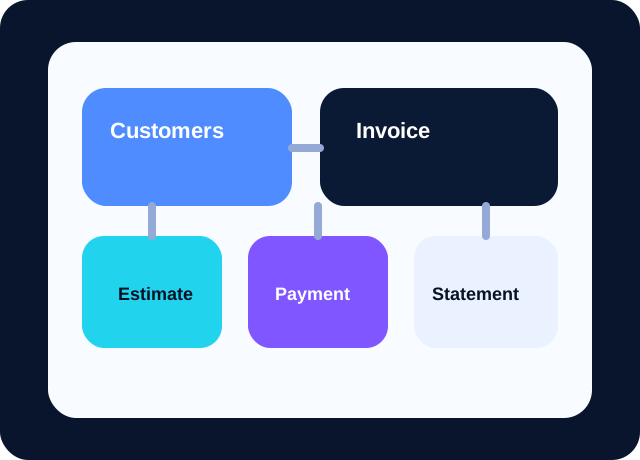
Sales and customer management illustration for DMI Software
Sales and customer lifecycle

Close more sales with faster customer, invoice and payment workflows

DMI Software gives your sales and accounts teams a connected flow from add customer to estimate, invoice, receive payment, statement and after-sale corrections.

Explore this module
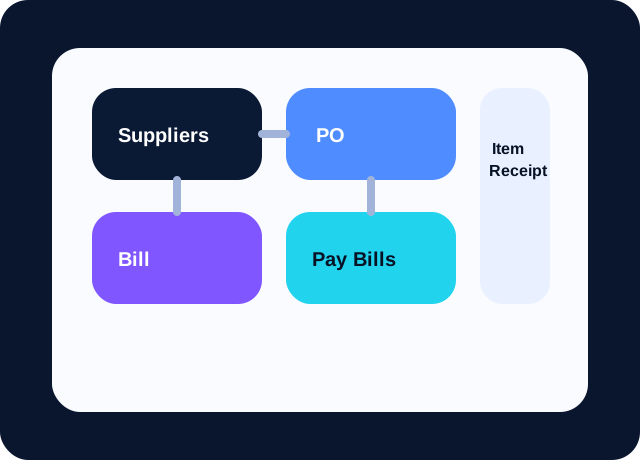
Purchasing and supplier workflow illustration for DMI Software
Purchasing and supplier control

Manage suppliers, purchase orders and bills with less manual follow-up

For growing businesses, supplier management is as important as sales. DMI Software brings suppliers, purchase orders, item receipts, bills, pay bills and supplier credits into one operational flow.

Explore this module
Banking, expenses and reconciliation illustration for DMI Software
Banking, expenses and finance

Stay in control of expenses, cheques, deposits and reconciliation

DMI Software supports daily finance operations beyond invoicing. Expense entries, cheque records, banking views, bank deposits, recurring transactions and reconcile tools help businesses protect financial accuracy.

Explore this module
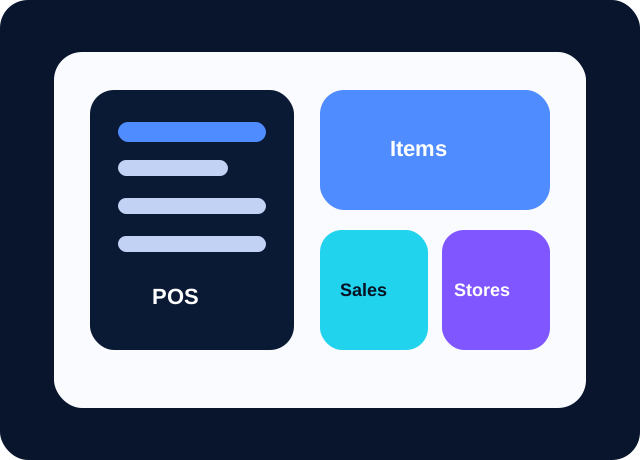
POS and item management illustration for DMI Software
Retail, POS and item management

Power fast retail counters with POS, items and branch-ready selling

DMI Software is designed for businesses that need both back-office finance and front-line sales speed. POS, items, sales receipts and multi-store visibility help retail and wholesale teams work from one software platform.

Explore this module
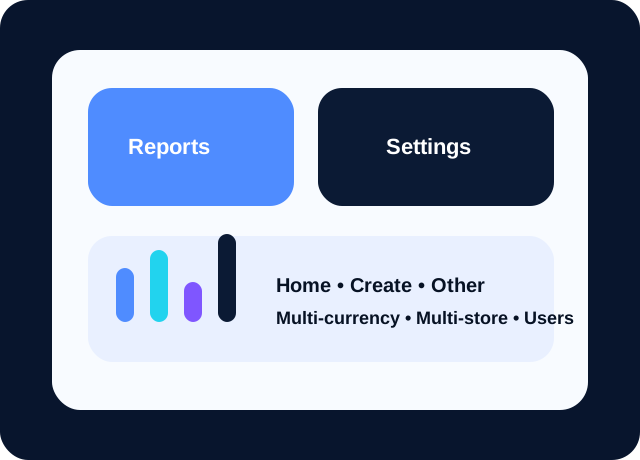
Reporting and management overview illustration for DMI Software
Reports, settings and business management

Turn transactions into reports, visibility and better management decisions

A good business software platform should not only record data, it should help leaders understand it. DMI Software highlights reports, settings, home dashboard, other tools, multiple currencies, multiple stores and multiple users for scalable growth.

Explore this module
Feature explorer

Explore the complete DMI module structure

The website highlights every major feature group so visitors and Google can clearly understand the product scope.

Sales & Customers

Customers Add customer Invoice Estimate Receive payment Statement Sales order Sales Sales receipt Credit note Refund receipt Delayed credit Delayed charge

Purchases & Suppliers

Suppliers Add supplier Bill Pay bills Purchase order Item receipt Supplier credit

Banking, Expenses & Payments

Expense Expenses Cheque Banking Bank deposit Credit card credit Recurring transactions Reconcile

Retail, Items & Reports

POS Items Reports Sales receipt Store performance reporting Operational dashboards

Home, Create, Other & Settings

Home Create Other Settings Multiple store control Multiple user support Multiple management workflow Multi-currency setup
Operational advantage

Ready for owners, accountants, managers, stores and sales teams

DMI Software supports multiple management levels and multiple users, making it easier to scale your business without losing control of data and workflows.

For finance teams

Track expenses, bills, statements, receive payments, supplier credits and bank reconciliation from one interface.

For sales teams

Create invoices, estimates, sales orders, sales receipts and refund receipts quickly while keeping customer history visible.

For branch managers

Compare store performance, control item movement and oversee users, cash flow and reporting without manual spreadsheets.

For owners

See one business-wide picture across stores, currencies and teams so important decisions happen faster.

Simple rollout

How DMI Software supports business growth

A strong product website should explain the workflow clearly. This section turns your feature list into a conversion-focused story.

01

Capture every transaction

Create invoices, estimates, bills, expenses, receipts and supplier transactions from one clean dashboard.

02

Control stores and teams

Separate permissions for owners, managers, accountants, store staff and sales users while keeping data aligned.

03

Manage cash, banks and cheques

Track deposits, reconcile accounts, follow receivables and payables, and keep your books organized.

04

Make smarter decisions

Use reports, statements and operational visibility to scale faster across cities, stores and currencies.

Live business suite pages

The website now includes working operations screens

DMI Software now has public-facing business suite pages for a live product-style experience, including dashboard, store management, customer CRUD, supplier CRUD, invoices, POS and reports.

Multi-store dashboard

See branch-level counts, invoice totals, POS sales and store status cards in one place.

Customer, supplier and item CRUD

Create and manage records that are reused throughout invoices, POS and reporting pages.

Invoice and POS workflows

Use dynamic line items, receipt numbers, totals and stock movement from public business pages.

Reports module

Track sales and invoice summaries by date, currency and store from the reporting dashboard.

Settings and control

Advanced settings make DMI Software stronger for real businesses

The promotion website now highlights important settings areas that serious companies expect when evaluating software for growth and control.

Company

Configure business identity, company profile information and organizational setup from one central settings area.

Currencies

Control company currencies and support multi-currency invoices, bills, reports and operational visibility.

Team & Roles

Prepare the software for owners, managers, accountants, cashiers and staff with clear team and role structures.

Locations & Stores

Manage branches, outlets, warehouses and store-level operational structure inside one connected software system.

Chart of Accounts

Keep accounting categories organized with a chart of accounts structure that supports cleaner finance and reporting.

Audit Log

Improve accountability with audit-focused visibility that helps management review important business actions and changes.

Blog and news for SEO

Search-friendly article content that supports software sales

The website now includes a blog and news section to strengthen SEO while educating potential buyers about business software value.

Why multi-store software matters for growing businesses
Multi-store software

Why multi-store software matters for growing businesses

Learn why businesses with branches, outlets and warehouses need better store-wise visibility, reporting and control.

Read more
How POS and invoicing work better together
POS and invoicing

How POS and invoicing work better together

Retail and finance teams benefit when front-counter sales and back-office billing are part of one software story.

Read more
Why settings like currencies, chart of accounts and audit log matter
Settings and control

Why settings like currencies, chart of accounts and audit log matter

Advanced settings are often the difference between basic software and a serious business platform.

Read more
SEO-focused content

Optimized for Google and written for decision makers

This website uses semantic headings, descriptive copy, image alt text, internal links, meta descriptions and structured data to improve search visibility for keywords like accounting software, POS software, multi-store management software and finance software.

The design is fast, mobile responsive and easy to expand into a larger product website or software portal.

See all features

Important SEO signals included

  • Meta title, description and keywords
  • Open Graph and Twitter sharing tags
  • Schema.org software structured data
  • Internal page linking and crawlable content
  • Fast-loading local SVG visuals
  • Mobile-friendly responsive layout
Testimonials section

What business teams appreciate about DMI Software

These testimonial-style statements strengthen trust and help visitors understand the practical value of the software before they request a demo.

β˜…β˜…β˜…β˜…β˜…
Retail & Branch Operations

β€œDMI Software gives our team a clearer way to manage billing, daily sales and business visibility from one connected system.”

Retail operations team Multi-store business
β˜…β˜…β˜…β˜…β˜…
Trading & Distribution

β€œThe software presentation makes it easy to understand how suppliers, invoices, POS and reports work together for business growth.”

Trading company management Finance and operations
β˜…β˜…β˜…β˜…β˜…
Enterprise Management

β€œWe value the way DMI Software is positioned around control, settings, branch workflows and better reporting for management decisions.”

Business leadership team Enterprise operations
Frequently asked questions

Common questions about DMI Software

What kind of businesses can use DMI Software?

DMI Software is designed for retailers, wholesalers, distributors, trading businesses and growing companies that need accounting, POS, inventory, purchasing and reporting in one place.

Does the platform support multiple currencies?

Yes. The website content and platform positioning are built around multi-currency workflows so businesses can manage transactions and reporting for different markets more easily.

Can one company manage multiple stores and multiple users?

Yes. The solution is presented for multi-store operations with separate user access for owners, managers, finance teams, cashiers and branch staff.

How do customers request a live demo?

Visitors can submit the demo form on the website. Their details are stored and they are redirected to WhatsApp to continue the conversation quickly with the DMI team.

Which key modules are promoted on the website?

The promotion website covers customers, suppliers, create, invoice, expense, cheque, receive payment, statement, bill, reports, estimate, pay bills, sales order, purchase order, POS, credit note, item receipt, sales receipt, banking, settings and more.

Are settings and control features part of the product positioning?

Yes. The website highlights settings topics such as company, currencies, team and roles, locations and stores, chart of accounts and audit log.

Is the website content in English?

Yes. The content is written in an English-first style to support software sales, product demos and professional presentation.

What are the software prices?

The pricing page presents a one-time payment structure with Basic at PKR 100,000, Advance at PKR 250,000 and Enterprise at PKR 530,000, along with yearly server charge guidance.

What are yearly server charges?

Yearly server charges are presented from PKR 30,000 to PKR 100,000, with supporting values shown in USD, AED and SAR for convenience.

What makes DMI Software different from simple invoicing tools?

DMI Software is promoted as a broader finance and business management solution, not just an invoice tool. It combines sales, suppliers, banking, reports, settings and multi-store workflows in one platform.

Book your demo

Talk to DMI Software on WhatsApp and request a live walkthrough

Submit your details and we will save your demo request, then open WhatsApp so you can continue the conversation instantly.

  • Share your business type and number of stores
  • Tell us your preferred demo time
  • Ask about multiple currencies and user roles

WhatsApp demo line: +92 336 9109605

Ready for a live DMI Software demo? Book your walkthrough or review pricing now.
Book Demo View Pricing
WhatsApp